Save Time, Save Money with JUKES PowerPoint Presentation Template
Every entrepreneur, marketer, and creative professional knows the sinking feeling of staring at a blank PowerPoint slide. You have a brilliant idea, a crucial pitch, or a complex project update to share, but the presentation design is holding you back. The clock is ticking, and a generic, uninspired template won't cut it. This is where a tool like the JUKES PowerPoint Presentation Template shifts from being a nice-to-have to a genuine business asset. It’s designed not just to look good, but to solve a very real problem: the time and cost involved in creating professional, persuasive presentations.
More Than Just Slides: A Foundation for Brand Consistency
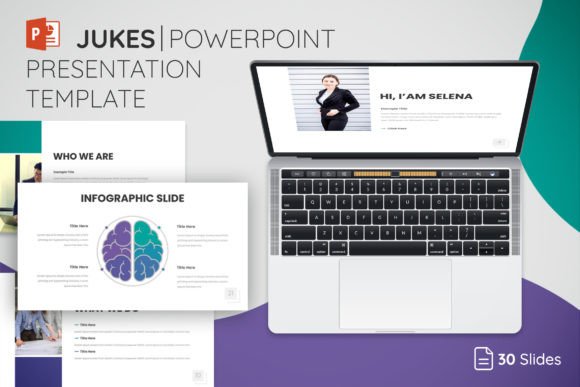
At its core, JUKES is a clean and modern template built for business presentations. Think of it as a versatile design system for your slides. Its visual personality is professional, confident, and approachable. It avoids overly trendy graphics that might date quickly, opting instead for a balanced aesthetic that works across industries—from tech startups and marketing agencies to consulting firms and educational institutions. The strength lies in its modernity and adaptability. With 30 core slide layouts expanded to 150 total through five distinct color themes, you have a substantial library to build from. This isn't about forcing your content into a rigid mold; it's about having a coherent, resizable framework that you can easily edit to match your specific brand identity.
The practical value here is immense for small business owners and content creators. Instead of spending hours aligning text boxes, choosing fonts, and creating consistent header styles, you start with a polished foundation. The master slides ensure that every new slide you add automatically inherits the correct typography, spacing, and design elements. This enforces visual hierarchy and consistency, which are critical for brand perception. A disjointed presentation can subtly undermine your message, making your company seem disorganized. A cohesive one, built with a template like JUKES, projects professionalism and attention to detail before you even speak.
Practical Applications: From Boardroom to Classroom
Where does a template like this truly shine? Its versatility is a key feature. For entrepreneurs, it’s the engine for investor pitches, sales decks, and company all-hands meetings. The ability to drag and drop your own photos means you can showcase your product, team, or workspace in a seamlessly integrated way. For marketers and agencies, it becomes a rapid prototyping tool for client proposals, campaign results presentations, and internal strategy sessions. The icon library included in the main files is a practical touch, allowing you to visually represent concepts without hunting for external assets.
Educators and trainers will find the structured layouts invaluable for breaking down complex information into digestible slides. The clean design ensures that your content—not flashy effects—remains the focus, aiding readability and audience retention. Even for personal projects, like planning a community event, creating a portfolio showcase for a creative hobby, or organizing a wedding slideshow, the template provides a polished starting point that elevates the final result. The included Read Me documentation with font links is a thoughtful detail that helps maintain the intended typography and ensures you can replicate the demo look accurately.
Integrating JUKES into Your Workflow: A Strategic Approach
Adopting a new design asset effectively requires more than just opening the file. First, consider the project’s tone and your audience. While JUKES is broadly professional, its five color themes allow you to steer the mood. A deep navy theme conveys authority and trust, perfect for financial services or legal pitches. A brighter, contrasting theme might be better suited for a creative agency or a youth-focused brand. Test the chosen theme with your actual content. Does your primary text have enough contrast? Do your images complement or clash with the color palette?
Next, think about font pairing. The template uses free fonts, which is great for accessibility and budget. However, if your brand has a specific typeface, you can often integrate it. Use the provided fonts for body text to maintain the template’s clean rhythm, but consider swapping in your brand’s display font for major headings to reinforce brand identity. The key is to maintain the existing visual hierarchy. Don’t override the master slides so much that the structure breaks. The goal is customization, not a complete overhaul.
Finally, view the 150 slides not as a checklist to use, but as a toolkit to draw from. A successful presentation might only use 15-20 slides. The variety exists so you can choose the most effective layout for each point—a data-heavy comparison slide, a powerful full-bleed image slide, a clean quote slide, or a simple text-and-icon list. This selectivity is what makes a presentation engaging. By leveraging the fully editable and resizable elements, you can adapt each layout to your narrative, ensuring a logical flow that guides your audience toward your desired outcome, whether that’s securing funding, winning a client, or aligning a team.
Ultimately, tools like the JUKES PowerPoint Presentation Template are about efficiency and impact. They handle the heavy lifting of design fundamentals, freeing you to focus on your story, your data, and your connection with the audience. In a world where time is money and first impressions are crucial, having a reliable, professional, and adaptable presentation system isn't a luxury—it's a smart component of your growth strategy.