Business Plan - Google Slides: Your Presentation Blueprint
Every entrepreneur knows the pressure of a high-stakes presentation. You have a brilliant idea, a solid strategy, and a clear vision, but translating that into a visual format that captivates investors or clients is a different challenge entirely. Starting from scratch with a blank slide deck is time-consuming and often leads to inconsistent designs. This is where the Business Plan - Google Slides template steps in, offering a ready-to-use framework designed to bridge the gap between your raw data and a polished, professional narrative. It is not just a collection of slides; it is a structured tool for storytelling in the corporate and creative world.
A Visual Identity Built on Clarity and Structure
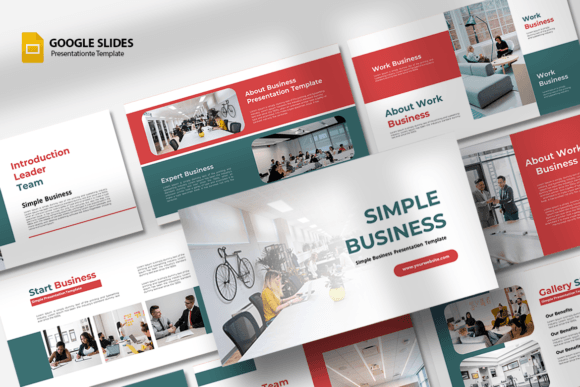
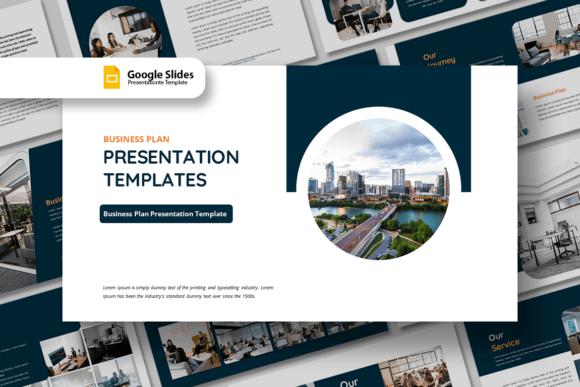
The visual personality of this presentation template is rooted in modern typography and clean geometry. It avoids the cluttered look of outdated corporate decks, favoring ample white space, defined grid lines, and a balanced layout. The style is distinctly professional yet approachable, making it suitable for both a startup pitch to venture capitalists and a company profile for potential partners. The design assets included are crafted to support your content without overwhelming it. You will find that the shape elements and color palettes are designed to be easily manipulated, ensuring that the template serves as a flexible foundation rather than a rigid cage. This adaptability is crucial for maintaining a unique brand identity across different meetings and contexts.
One of the standout features is the drag & drop image functionality. The image placeholder system is intuitive, allowing you to swap out generic stock photos for your own high-resolution team shots, product mockups, or office environments in seconds. This feature significantly speeds up the workflow for content creators and marketers who need to iterate quickly. Whether you are preparing a pitch deck or a portfolio review, the visual consistency remains intact because the underlying structure is sound. The 16:9 ratio ensures your presentation looks sharp on modern widescreen monitors and projectors, a standard that signals professionalism in any digital setting.
Strategic Applications Across Industries
The versatility of the Business Plan - Google Slides template is one of its greatest strengths. It is engineered for a wide spectrum of users, from a creative agency showcasing a new campaign to a small business owner outlining growth projections. For designers, the template acts as a canvas for editorial design within a presentation format. You can use it to present packaging design concepts or web design mockups with the same level of detail you would find in a dedicated PDF portfolio. The fully editable text means you can adapt the tone and language to match your specific audience, whether they are technical experts or general consumers.
Consider the needs of a photographer or a personal portfolio creator. The slides can be restructured to prioritize large, impactful visuals, turning a standard business plan into a visual journey. Conversely, a corporate entity might utilize the numbered lists and bullet points to break down complex financial data into digestible chunks. The ability to change colors easily means you can instantly align the deck with your specific brand guidelines. If your brand identity relies on a specific shade of blue or a particular accent color, you can apply that across all 15 slides in moments. This level of customization ensures that the presentation feels bespoke, not templated, which is vital for establishing professionalism and recognition.
Practical Guide to Customization and Workflow
Getting the most out of this template requires a strategic approach to customization. First, evaluate your content needs. While the template comes with 15 slides, you do not need to use all of them. A strong presentation often benefits from a curated flow that keeps the audience engaged. Select the slides that best support your narrative arc—perhaps a problem/solution slide, a market analysis slide, and a team introduction slide. The unique custom slides included offer variety in layout, so you can alternate between text-heavy explanations and visual breaks.
Next, focus on the font choices. The template is set up with free fonts, which is a significant advantage for hobbyists and businesses watching their budget. You do not need to purchase expensive commercial font licenses to achieve a high-end look. However, you should test the readability of the text on different screens. If you decide to swap the default sans serif font for a serif font to give it a more traditional or authoritative feel, ensure that the contrast remains high enough for easy reading in a dimly lit conference room. Font pairing is also worth considering; using a bold display font for headers and a clean, neutral typeface for body text creates a clear visual hierarchy that guides the viewer's eye.
Finally, leverage the template for social media graphics. Do not let the presentation live only in the boardroom. Individual slides, particularly those with key statistics or powerful quotes, can be exported as images and used on platforms like LinkedIn or Instagram. This extends the life of your content and reinforces your brand identity across multiple touchpoints. The PPTX file format ensures compatibility with various systems, though the Google Slides native format allows for seamless cloud collaboration, a feature essential for modern remote teams.
Maximizing Impact with Minimal Effort
The true value of the Business Plan - Google Slides template lies in its ability to democratize good design. You do not need to be a graphic design expert to produce a deck that looks like it was made by one. By providing a solid structural foundation, it frees you up to focus on what matters most: your message. For entrepreneurs and bloggers, this means spending less time fiddling with alignment and more time refining their value proposition. The template serves as a reliable design asset in your toolkit, ready to be deployed whenever a new opportunity arises.
When preparing your deck, pay attention to the details that build trust. Ensure your images are high quality and relevant. Use the shape tools to highlight key data points. Keep your text concise; let the slides support your speech, not replace it. By treating the template as a dynamic tool rather than a static document, you can create presentations that not only inform but also persuade and inspire. Whether you are closing a deal, securing funding, or presenting a creative agency concept, having a polished, easy-to-edit presentation ready to go gives you a distinct competitive edge.